Problems logging in to Open OnDemand
Open OnDemand is available from on or off-campus at https://ood01.comet.hpc.ncl.ac.uk/
Common errors
400 Bad Request
400 Bad Request
Your browser sent a request that this server could not understand.
Size of a request header field exceeds server limit.
This error may be caused by having a lot of cookies cached for this site. Clear your browser cache to fix.
Error -- can't find user
Error -- can't find user for user@ncl.ac.uk
Run 'nginx_stage –help' to see a full list of available command line options.
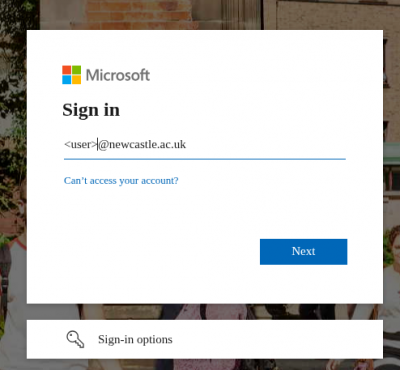
Note that the user has logged in using @ncl.ac.uk as their domain. Your canonical (original) campus username in Azure/Entra is your loginID@newcastle.ac.uk. Other names like my.name@ncl.ac.uk are aliases for this canonical name and won't always work to log you in to services which authenticate against Azure/Entra.
Always log in to Open OnDemand with yourID@newcastle.ac.uk
For example: na123@newcastle.ac.uk or c1234567@newcastle.ac.uk
If your browser has remembered a different login, use a new incognito mode window to force re-authentication: